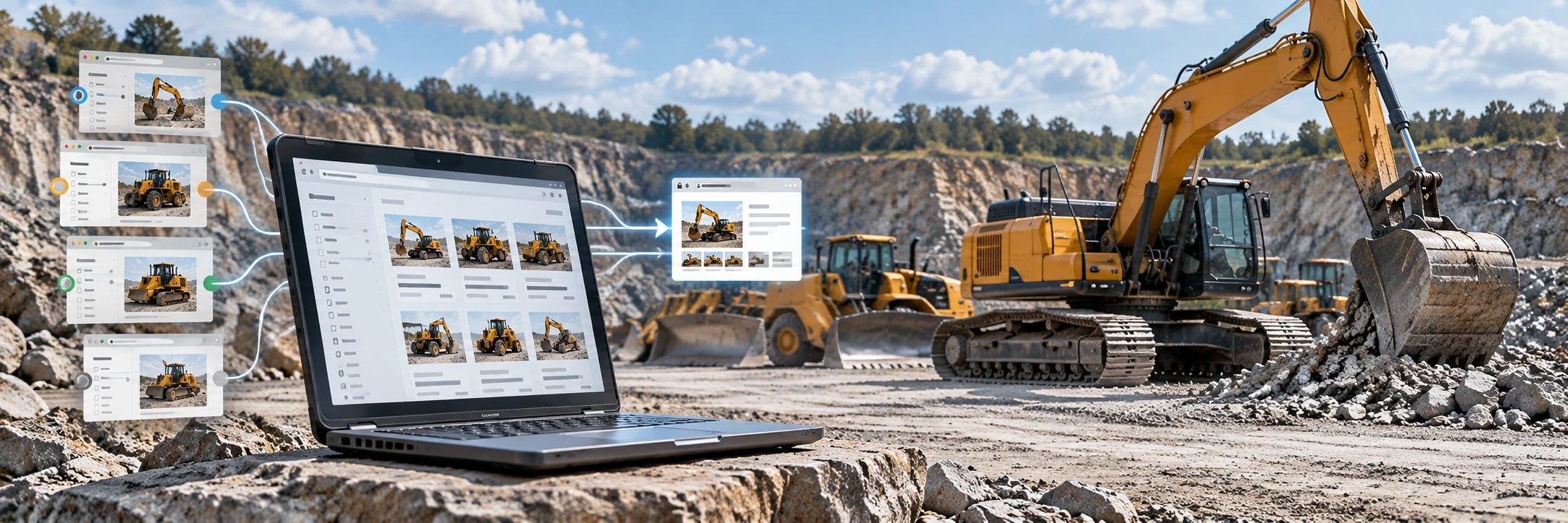
Equipment marketplaces and dealer websites naturally generate filters: make, model, category, year, location, price, hours and sort order. Those controls help buyers, but careless URL handling can create many near-duplicate pages for the same inventory. The SEO goal is to make clear which URLs deserve to be indexed and which are alternate views of the same content.
1. Why inventory filters create duplication
Google notes that sorting and filtering functions can produce multiple URLs with the same or very similar content. A category page might be reachable as a clean path, a parameterized filter URL and several sorted versions. If every combination is crawlable and indexable, search engines can spend time on low-value duplicates.
2. Define your indexable page set first
Choose the category, brand, location or other landing pages that have real search value and enough useful inventory or supporting content to stand on their own. Those pages should have stable URLs, unique titles and clear internal links. Do not make every possible filter combination an SEO landing page by default.
3. Use canonical signals consistently
Google describes canonicalization as selecting the representative URL from a set of duplicate or very similar pages. Use canonical tags, redirects where appropriate, sitemap inclusion and internal linking consistently around the preferred URL. Google treats canonical annotations as signals rather than absolute commands.
4. Keep internal links and sitemaps aligned
Google's ecommerce URL guidance recommends using the same preferred URL in internal links, sitemap files and canonical tags. If navigation links to one variant while the sitemap lists another and the canonical points to a third, the site creates unnecessary ambiguity.
5. Treat sort parameters as views, not new content
Sorting by price, newest, hours or relevance usually changes order rather than the underlying inventory. Those URLs generally do not need to compete as separate landing pages. Keep the buyer experience without turning every sort state into an index target.
6. Be deliberate with faceted combinations
Some filters can produce useful long-tail landing pages, such as a major equipment category in a meaningful location. Others create thin combinations with one or zero machines. Decide which facets are strategically indexable and keep the rest as user controls.
7. Handle empty categories carefully
Google's ecommerce guidance says pages without useful content should not be unnecessarily indexed and notes that an empty category removed from site search and browse can appropriately return a 404. The right handling depends on whether the page is temporarily empty, permanently gone or still useful as a category resource.
8. Make pagination and crawling predictable
Large inventory sets need crawlable paths to deeper listings. Use ordinary HTML links that search engines can follow and avoid navigation that depends entirely on client-side interactions without crawlable URLs.
9. Audit the actual URL inventory
Crawl your site and group URLs by pattern: clean category pages, detail pages, filter parameters, sort parameters, pagination and search-result pages. Compare those groups with Search Console indexing and performance to find patterns that generate many low-value URLs or split signals.
Dealer technical checklist
- Document which inventory landing pages are intended to index.
- Use one preferred URL consistently in links, sitemaps and canonicals.
- Keep sort-order URLs from becoming accidental SEO targets.
- Limit indexable faceted combinations to pages with real value.
- Handle empty categories intentionally.
- Keep machine detail pages reachable through crawlable HTML links.
- Review Search Console for unexpected duplicate or canonical behavior.
The takeaway
Faceted navigation is useful for buyers but needs technical rules. Decide which inventory URLs are real landing pages, make those URLs consistent across the site and prevent low-value filter variants from competing with them.
Related BigEquipCo guides: Equipment Inventory Pages SEO, Product Structured Data for Heavy Equipment Dealers and Heavy Equipment Dealer SEO.